Flash Archive

In multi player gaming development there is requirement like custom user registration and custom user login which is some what tricky in smartfoxserver 2x or smartfoxserver pro.   In smartfoxserver 2x for  custom user registration and login, we need two zones for registration and login. One zone for user registration and another one
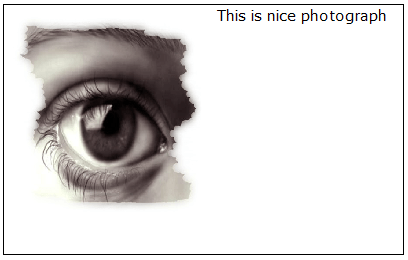
In action script 3 adding images and movie clips to the TextField very easy using <img> tag and htmlText property of TextField. Just follow few steps to add images or movieclips to the TextField. step 1: Initialize TextField instance using TextField Class, and assign font, text size and color
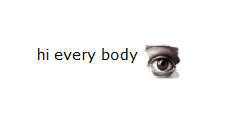
This may be simple task when someone give you this, But really some what difficult is there  while positioning smiley in the textfield. I had gone through Google none of them explained this. Download sample files here. Here is simple way I had tried to position the smiley in
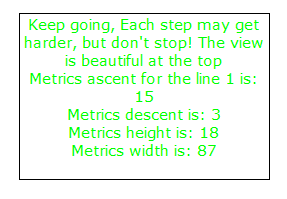
note : In action script 2 getTextExtent() method gives width, height, ascent, descent, textFieldHeight, and textFieldWidth of text in the TextField, but in action script 3 to get above things use one of the below methods. It is very easy to find out width, height, ascent, descent, textFieldHeight, and
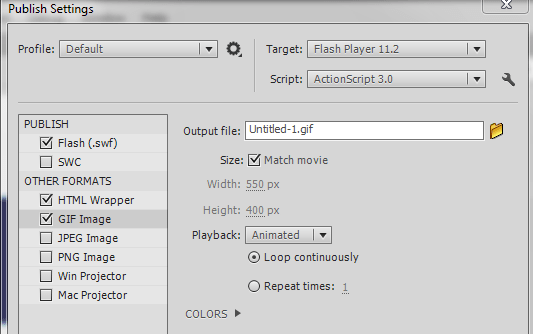
Converting MovieClip into animated GIF image is very easy in Flash Professional IDE. Just follow below few steps to convert MovieClip into animated GIF image. Step 1: Import a movieclip (that is need to be converted) from your library into stage. Step 2: Select movieclip on the stage, then
The setRGB() method is used in action script 2 to set color properties to movie clips, but that method is no longer present action script 3. setRGB() functionality achieved in action script 3 using colorTransform class import flash.geom.ColorTransform Here is the sample code, how to set color properties to
  Align Text in the TextField in ActionScript 3 little different than using ActionScript 2. Here is the list of samples to align text in the TextField using  ActionScript 3. var txt:TextField= new TextField; txt.text=”happy morning”; txt.autoSize = TextFieldAutoSize.LEFT; addChild(txt); The above text in the TextField align towards left